Two quotations for the same type of tool may describe different products to receive. One price may cover a bare tool, another a battery kit, and a third a package with additional accessories or a carrying case. A useful comparison first makes those contents visible, then compares the commercial terms attached to the same requested configuration.
For importers and private-label buyers, a shared quotation worksheet reduces the assumptions that otherwise surface during sample approval or packing. This guide explains how to separate the tool, battery, charger, accessories and packaging into fields that each supplier can answer.
Fix the tool identity before comparing the package
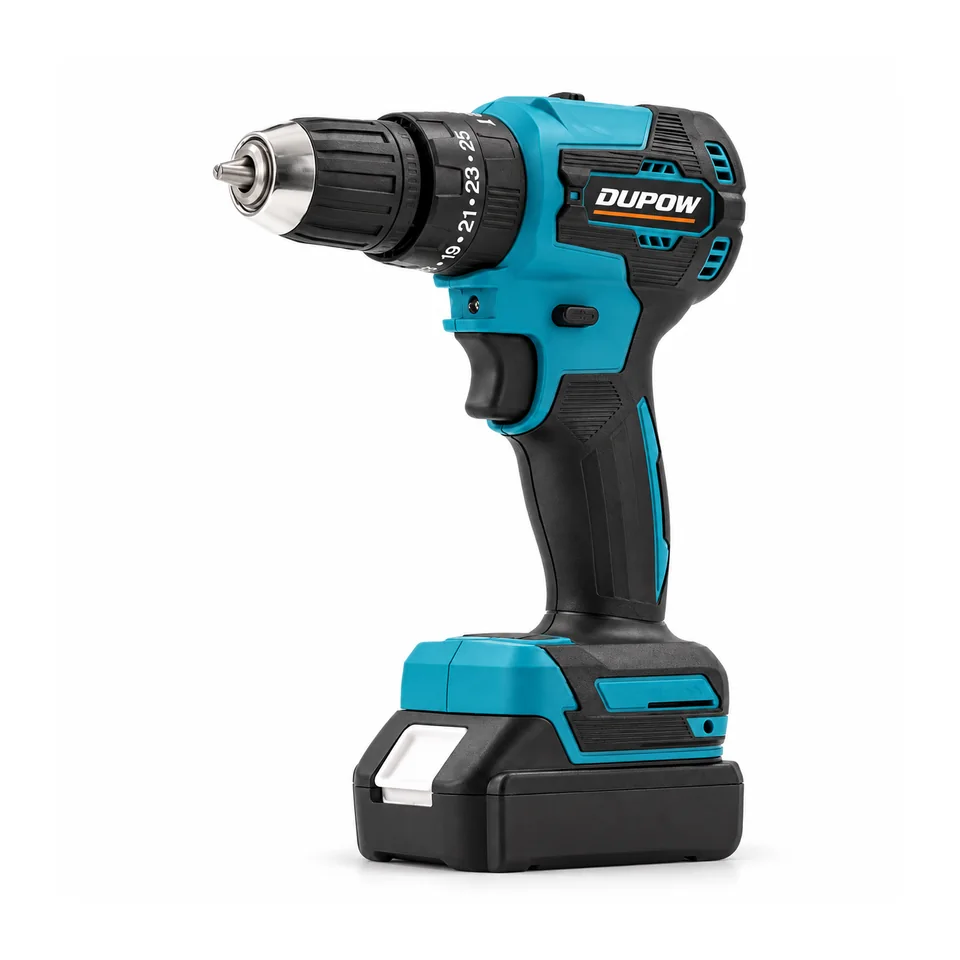
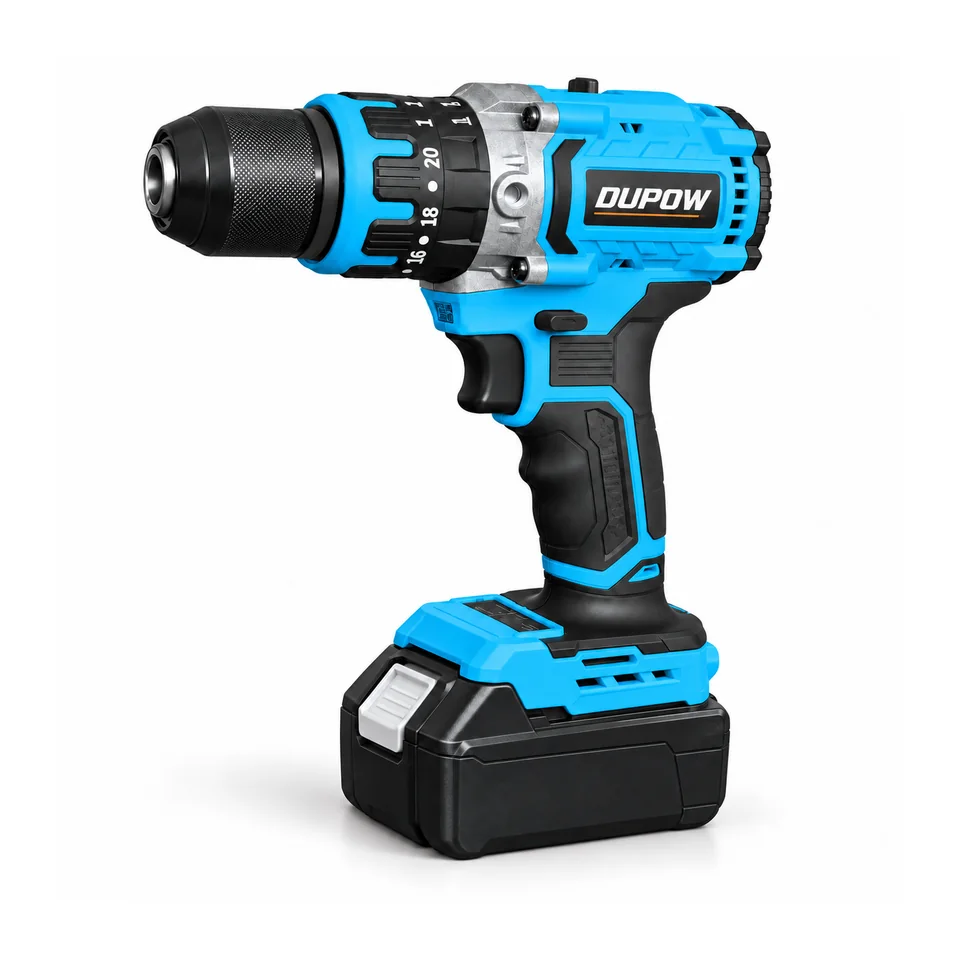
Record the exact model and the main specification that distinguishes it from another offer. “20V drill” is not enough to establish that two quotations cover equivalent tools. DUPOW's DUP-CD-014 lists a 10 mm chuck and 35 Nm maximum torque, while DUP-CD-008 lists a 13 mm chuck and 45 Nm maximum torque.
Those model differences should remain visible even when both offers include a battery and charger. Agree the tool position first, then compare the alternative package contents for that selected model. The cordless-drill guide covers the earlier model-selection decision.
Separate each component of the offer
Create one row for the tool and separate rows for the battery, charger, accessories and packing. Use part or model references where available, and retain the quantity of each item. A single “complete set” description can conceal differences that matter to the buyer's retail SKU.
For a battery, record the agreed reference, voltage, capacity and quantity. For the charger, record the selected reference and destination-market electrical version. Keep the complete tool, battery and charger combination together for approval; voltage alone does not establish compatibility.
List drill bits, drivers, guides or other accessories individually where they form part of the offer. Use the same contents list for the product photographs and the quotation so a buyer does not have to decide whether a pictured item is included.
Build a like-for-like worksheet
| Comparison row | Information to retain | Common difference to resolve |
|---|---|---|
| Tool | Exact model and agreed specification | Similar tool names can conceal different models |
| Battery | Reference, capacity and quantity | A one-pack kit differs from a two-pack kit |
| Charger | Reference and electrical version | A charger may be excluded or supplied in another version |
| Accessories | Individual items and quantities | A photograph can show optional items |
| Carrying format | Case, bag or other agreed format | Different containers change the supplied package |
| Printed materials | Manual languages and agreed inserts | Private-label requirements may differ |
| Packing | Retail and outer-carton specification | Bulk and retail-ready offers are different configurations |
| Order terms | Quantity, currency, stated price basis and delivery terms | The same unit-price label may cover different commercial conditions |
Send this worksheet with the RFQ and ask each supplier to identify its offer against the same rows. Preserve an explicit exclusion rather than treat an empty answer as an included item.
Compare the agreed configuration before the headline total
Once the components are clear, put the selected offers beside the buyer's required configuration. Note additions, exclusions and substitutions. If an offer does not match the requirement, ask for a revised quotation rather than silently estimate the difference from an unrelated accessory price.
Compare prices using the same quantity and commercial basis. Keep currency, delivery terms, taxes where stated, and any separately quoted charges visible. Do not combine a tool-only price in one currency with a complete-kit price in another and describe the result as a model comparison.
Where several package options are commercially useful, give each one its own comparison column. The buyer can then choose between defined retail offers rather than ask the supplier to supply an undefined mixture of their contents.
Use the sample to check the quoted package
Identify the sample's model and contents against the worksheet. Record whether the sample represents the exact production offer or a configuration supplied for a narrower review. A tool sample without the quoted carrying case does not establish the complete package approval.
Keep requested changes in the same worksheet so the supplier can issue a revised version. The approved tool, battery, accessories and packing references should be traceable to one current offer. Retain earlier versions as comparison records rather than leave several conflicting contents lists in circulation.
The pre-shipment inspection checklist can use the final list later. The important connection is that the quotation, sample approval and inspection criteria describe the same package.
Freeze the retail SKU and artwork together
Separate tool-only, one-battery and other kit configurations in the buyer's stock system. Keep the SKU's name, contents text and photographs aligned. If the contents change, review the affected retail description and packing information before approving the next version.
Use the private-label packaging checklist for artwork and packing decisions. The quotation worksheet supplies the model and contents the artwork team should represent, while the broader 20V platform guide helps organize a range that contains several tools and kit formats.
Send a defined request for the next round
Review the drill-driver category for the tool shortlist, then send the exact models, quantities, destination and package requirements using the RFQ guide. Asking every supplier to quote the same defined offer creates a comparison that can be carried through approval and shipment.
Buyer FAQs
Can I compare two prices described only as a complete set?
First obtain the itemized contents. The phrase can cover different battery quantities, accessories, carrying formats and packing specifications.
Should different drill models appear as the same quotation row?
Keep the models and their specifications distinct. CD014's 10 mm chuck and CD008's 13 mm chuck are different model positions even if both are offered in battery kits.
How should an excluded accessory be handled?
Record the exclusion and request a price for the required configuration if needed. Do not assume that an empty field or a promotional image establishes inclusion.
What document should inspection use later?
Use the final agreed model-and-contents schedule attached to the current order, together with the approved sample and applicable inspection requirements.
Request comparable tool or kit offers with an itemized configuration for each model.